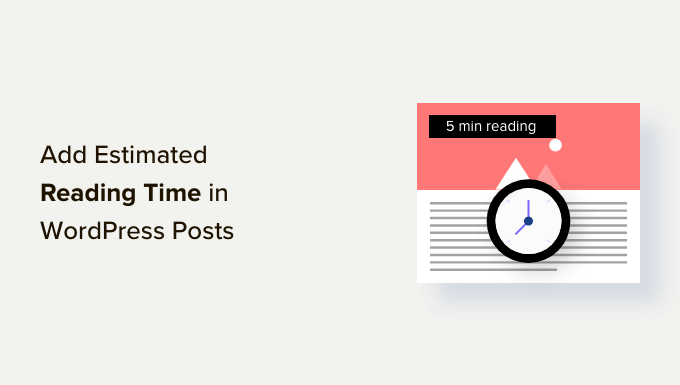
Do you want to display the estimated time it takes to read your WordPress blog posts?
An estimated reading time encourages users to read through to the end of a post since they know how long it will take. It can help to keep readers on your website and boost engagement.
In this article, we will show you how to easily add estimated post reading time to your WordPress posts.
Why Add Estimated Post Reading Time in WordPress Posts?
When you start a new blog, your primary focus is on getting more visitors to your website.
However, you also need to increase the time each user spends on your website. When visitors stay on your website longer, they are more likely to remember your brand, sign up for your newsletter, make a purchase, and visit again in the future.
This is why several popular websites show a reading progress bar as users scroll down a post.
Another way to encourage visitors to read your posts is to let them know in advance how much time it will take. Telling them that it will only take a few minutes to read the article can help them make a start.
That said, let’s take a look at how to easily display reading time in your WordPress blog post.
Displaying Estimated Reading Time in Your WordPress Posts
The easiest way to add estimated reading time is by using the Read Meter plugin. It’s a free WordPress plugin that helps you show the reading time and progress bar on your website.
First, you will need to install and activate the Read Meter plugin. For more details, see our step-by-step guide on how to install a WordPress plugin.
Upon activation, you need to visit the Settings » Read Meter page from your WordPress admin panel to configure the plugin settings.

In the ‘General Settings’ tab, you can select the post types to show the reading time on.
For instance, the plugin lets you display the reading time on your blog posts and pages. If you have an online store, then there will also be an option to do this on your product pages.
You can also adjust the reading speed. By default, the plugin calculates reading time by estimating 275 words per minute reading speed.
There is also an option to include comments and images when estimating the time it will take to read the blog post.
Next, you can head over to the ‘Read Time’ tab to customize the exact text that will appear.
At the top, the plugin lets you choose whether to show the read time on blog posts, your home page, and your archive pages.

Besides that, you can change the appearance of the reading time notification.
There are settings for the font size, position of the read time, background color, text color, and a lot more.

When you have made the changes, don’t forget to click the ‘Save’ button.
After that, you can go to the ‘Progress Bar’ tab and edit the settings. You will see options to select the position of the bar (top or bottom of the page) or completely disable it from your WordPress website.
You can also change its style, background color, primary color, and bar thickness.

After editing your progress bar settings, go ahead and click the ‘Save’ button. Now your readers will see the estimated reading time on each post.
You can now visit your WordPress website to see the reading time and a progress bar in action.

We hope this article helped you learn how to display estimated post reading time in your WordPress posts. You may also want to see our guide on how to add keywords and meta descriptions in WordPress or our expert picks for the must have WordPress plugins for your website.
If you liked this article, then please subscribe to our YouTube Channel for WordPress video tutorials. You can also find us on Twitter and Facebook.
The post How to Display Estimated Post Reading Time in Your WordPress Posts first appeared on WPBeginner.
Related posts

8 Best WordPress Development Tools (Free + Paid)
We’ve developed and launched many successful websites from the ground up. So we know that whether you’re an experienced WordPress developer or a beginner, having the right development tool helps you customize your site and add different functionality. From our years of experience, some of… Read More »
The post 8 Best WordPress Development Tools (Free + Paid) first appeared on WPBeginner.

How to Add Attachment File Type Icons in WordPress (Easy Tutorial)
Have you ever seen websites that show file icons next to the download links? Recently, one of our readers asked if it was possible to display attachment file icons in WordPress. You can easily show different icons so that users know which type of file… Read More »
The post How to Add Attachment File Type Icons in WordPress (Easy Tutorial) first appeared on WPBeginner.